
Choose a personalised video platform by the job
Pick a personalised video platform by the job the video has to do. A statement needs the customer's own figures. A renewal reminder needs the adviser the customer knows, on screen and speaking.
Three kinds of software make a video for every customer: template platforms, avatar platforms and generative workflows. This playbook compares them and follows one renewal reminder from a customer list to a finished video. It ends with what to measure. It is written for the teams at insurers, banks and fintechs that own onboarding, renewal, retention or the agency channel.
Which platforms make a personalised video for every customer?
Each kind of platform changes something different for each person.
Template platforms start from one designed edit. A data feed fills the text, the image slots and the voice-over lines for each recipient, and the platform renders one video per row. Every recipient gets the same story with their own numbers.
Avatar platforms generate a digital presenter who reads a script to camera. Personalisation changes the words the presenter says to each recipient, and the presenter stays the same.
Generative workflows generate the shots for each person. The video starts from a person's photo or a row of data. The models place the customer, the agent or the ambassador in the scene. The brand's rules decide what may change and what stays fixed. This is the kind of work we do.
Ask four questions in any vendor demo:
- Who appears on screen? Graphics or a filmed presenter, one digital presenter, or the customer's own adviser.
- What changes for each person? The text and image slots, the presenter's words, or the shots themselves.
- Who writes each person's words? Fixed lines with fields, a script per person, or a script the workflow writes within limits legal approved.
- What runs before release? Ask to see the checks on every video, whichever kind it is.
Which kind suits which job?
One question decides most of it: does the moment depend on who appears on screen?
When it does not, use a template. An annual statement or a claim update gives every customer the same story with their own figures. When one presenter explaining a process is the format, use an avatar: staff training, onboarding steps, a product explainer. A bank might run both and still send its welcome videos through a workflow.
When the person matters, generate the shots. A welcome or a renewal reminder from the customer's own adviser depends on a real person's face. So does a greeting an agent sends under their own name, or an activation where people see themselves. Every face and voice needs written consent on file.
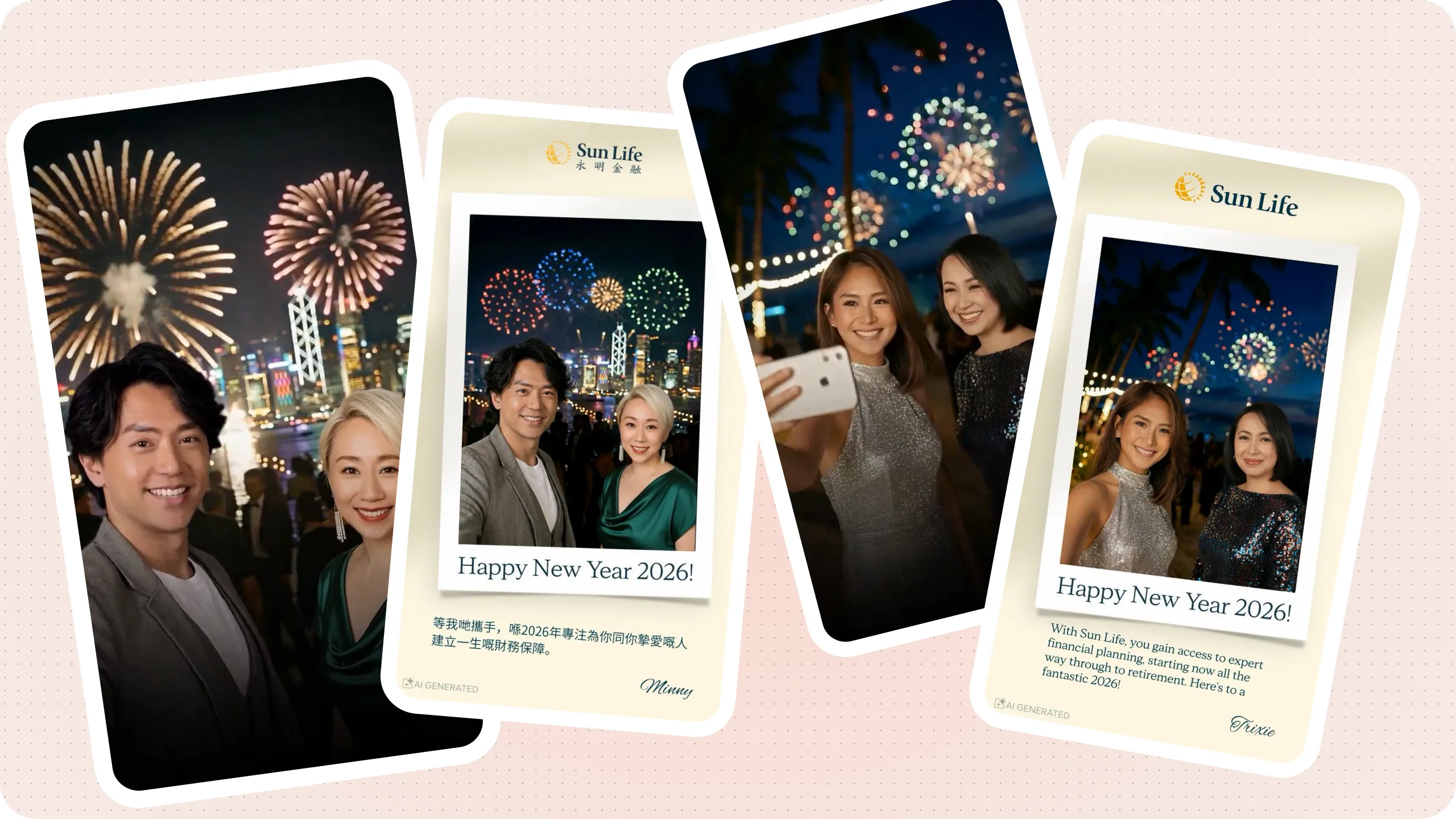
Sun Life made that call for its agents' New Year greetings. A film shoot for each agent was out of the question. Sun Life put the work out to a competitive bid and picked Instant Studio over Idomoo's personalised video platform. During the two weeks the campaign ran, each agent added a selfie, and our platform, Toolkit, generated that agent's video in real time. Each video showed the agent, introduced by their market's celebrity ambassador, with a New Year message personalised for that agent. Agents in four markets made more than 5,000 videos, each one different. Read the Sun Life case.
How does one row of a customer list make one video?
The three demo renewal reminders came from one workflow and a customer list of three rows. The insurer, Quellmere Life, is one we invented, and the advisers are AI-generated people.
| Customer | Policy | Renewal date | Adviser | Language |
|---|---|---|---|---|
| Mei Ling | Home Contents Cover | 15 January 2027 | Grace Lau | English |
| 大文 (Tai Man) | 家庭醫療計劃 (Family Medical Plan) | 2027年2月1日 | Grace Lau | Cantonese |
| Arjun | Motor Cover | 20 January 2027 | Daniel Tan | English |
Each row went through the same six steps:
- The row. The customer's name, the policy, the renewal date, the adviser and the language are controlled fields. The workflow uses them exactly as written.
- The script. A copywriting model writes 25 to 40 words within limits legal approved. The adviser greets the customer by name, gives the policy and the date, and invites a call. The script mentions no price, discount or other claim, and a check confirms every field appears in it word for word.
- The voice. Text to speech reads the script in the row's language: English for Mei Ling and Arjun, Cantonese for Tai Man.
- The adviser. Each adviser has one approved photo and one approved still of them at work. Both of Grace Lau's videos start from the same still, in English and in Cantonese.
- The video. A talking-photo model animates the adviser's still to the voice.
- The fixed parts. The name, the policy and the date go on screen from the row. The end card shows the insurer's wordmark and the disclosure line, and no model writes those words.
Only the row changed from one video to the next. Legal approves the workflow once: the limits, the stills, the disclosure and the checks. The workflow then checks every video against that set-up before release. The personalised video page sets out the locked, controlled and generative split behind each step.
What should you measure?
Decide the measure before the first video goes out, because each moment has its own. For a renewal reminder, compare renewals with a holdout group that received the usual email. For a welcome, track how many customers watch to the end and what they do next. For agent greetings, count the agents who take part and the agents who share.
The holdout group shows what the video changed, and the first pilot needs only one moment and one market to produce that answer.