
Stop pricing AI images by the render
OpenAI released GPT Image 2.5 on 8 September in two versions. OpenAI describes Flare as the model for everyday generation and Sunburst as the model for precise editing. We have added both to ToolKit, the Instant Studio creative workflow platform, where our production team and client teams can select them.
When a new model comes out, buyers usually ask what it costs per image. The price per image is the wrong number to compare.
Price the finished asset
A finished image costs the price of each render multiplied by the number of attempts it takes to get a usable one, plus the time a reviewer spends on every attempt. A model that is cheaper per render but needs three attempts can end up costing more than a dearer model that gets it right first time. So can a model that makes a good first image and then changes things nobody asked it to change when a reviewer requests one correction. VentureBeat's coverage of Anthropic's latest release compared language models the same way, on "the most completed work per dollar" (VentureBeat).
This test did not measure prices or review time. It measured the two things that decide how many attempts and review rounds an image needs: whether the first render is usable, and whether an edit changes only what the reviewer asked for. We run a test like this on each new model before we use it in client work.
How we tested
On 24 September we ran two briefs through four models in ToolKit: GPT Image 2.5 Flare, GPT Image 2.5 Sunburst, GPT Image 2 (the model that 2.5 replaces) and Nano 2, our everyday default. Each model made three renders of a poster brief, one product scene from a reference photo, and one edit of that scene. That comes to five renders per model and twenty in all, with a single edit behind each editing result, so treat the results as a first read.
Every model ran at its default resolution and quality settings. The times run from the moment ToolKit started a job to the moment the image was ready, so they include ToolKit's own processing as well as the model's. We cropped the images square for this page. The shop and the bottle were made up for the test.
| Model | Avg. time per render | Poster text right | Product kept | One-change edit |
|---|---|---|---|---|
| GPT Image 2.5 Flare | ~15s | 3 of 3 | 1 of 1 | Tabletop changed, sunlight kept |
| GPT Image 2.5 Sunburst | ~17s | 3 of 3 | 1 of 1 | Tabletop changed, sunlight kept |
| GPT Image 2 | ~39s | 3 of 3 | 1 of 1 | Tabletop changed, sunlight lost |
| Nano 2 | ~12s | 3 of 3 | 1 of 1 | Tabletop changed, sunlight kept |
Job one: words on a poster
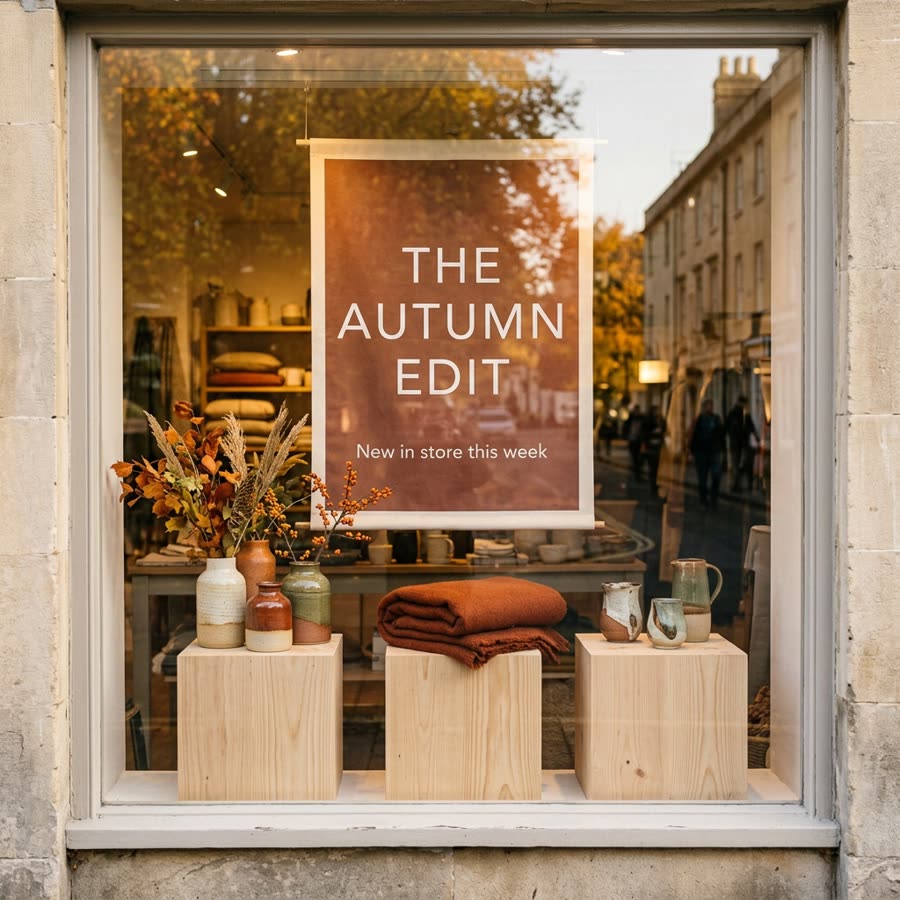
The first brief asked for an autumn shop window with a printed poster reading exactly "THE AUTUMN EDIT", with "New in store this week" underneath and no other text anywhere in the frame.
All twelve renders spelled both lines correctly, and we found no stray lettering when we checked each one at full size. On this brief, text did not separate the models. Render time did: Nano 2 and Flare returned each image in 12 to 20 seconds, and GPT Image 2 took between 32 and 67.



Job two: a product, then one change
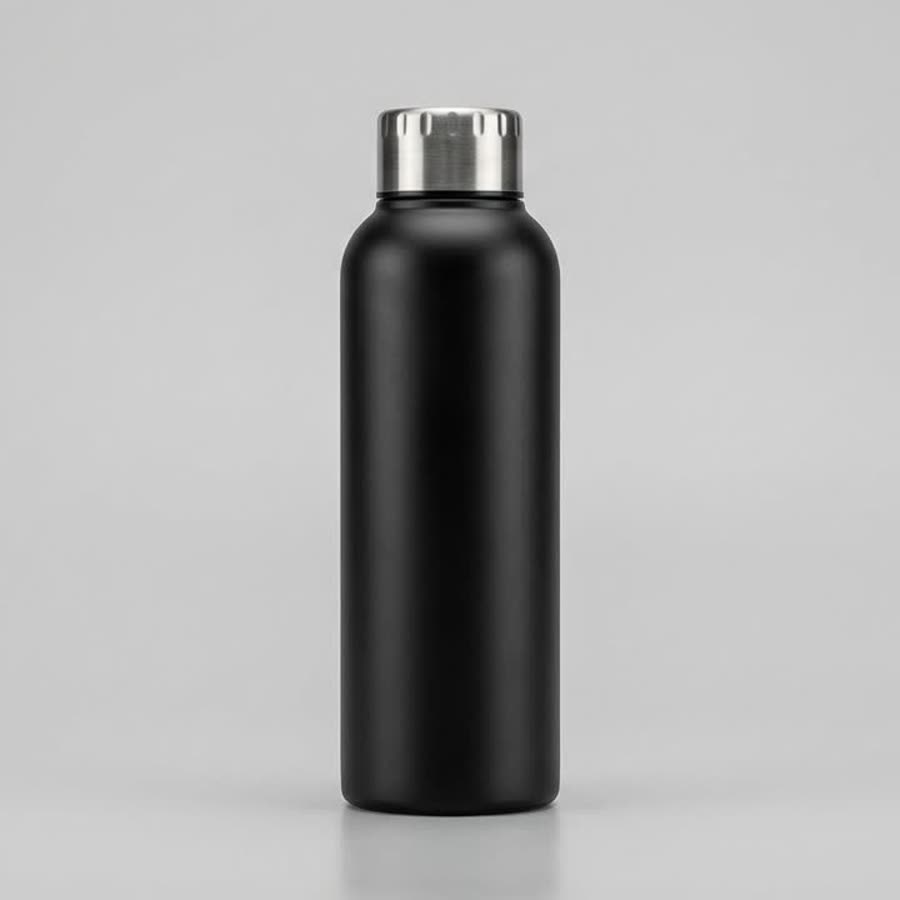
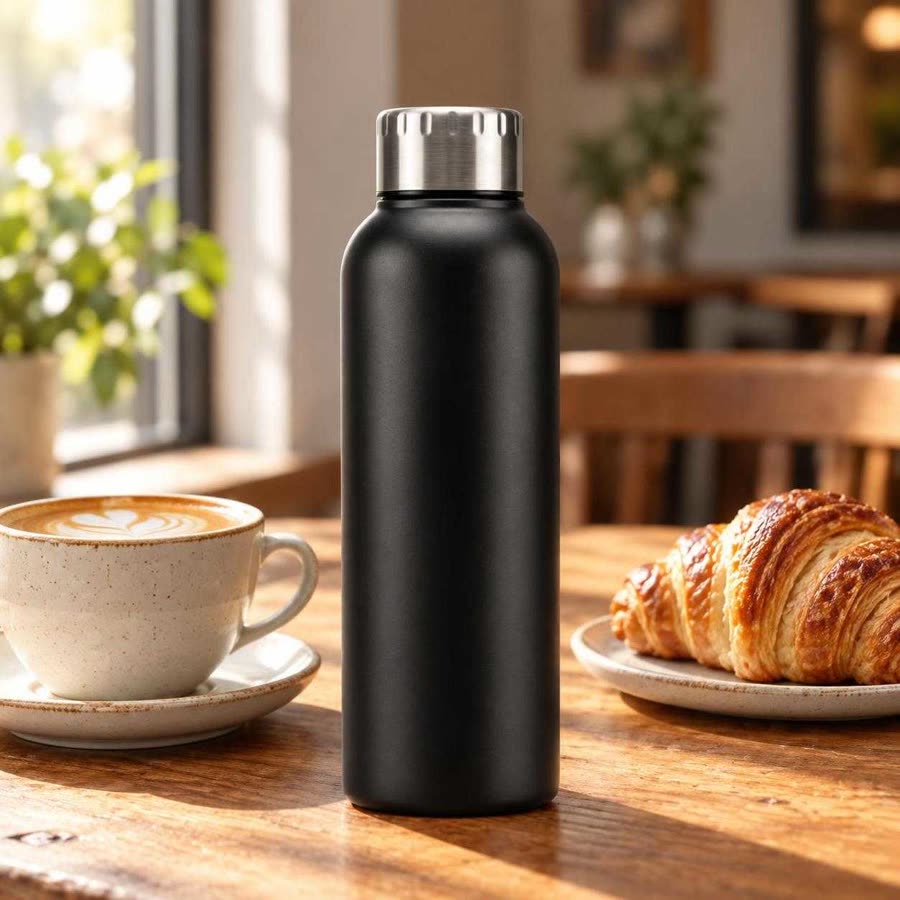
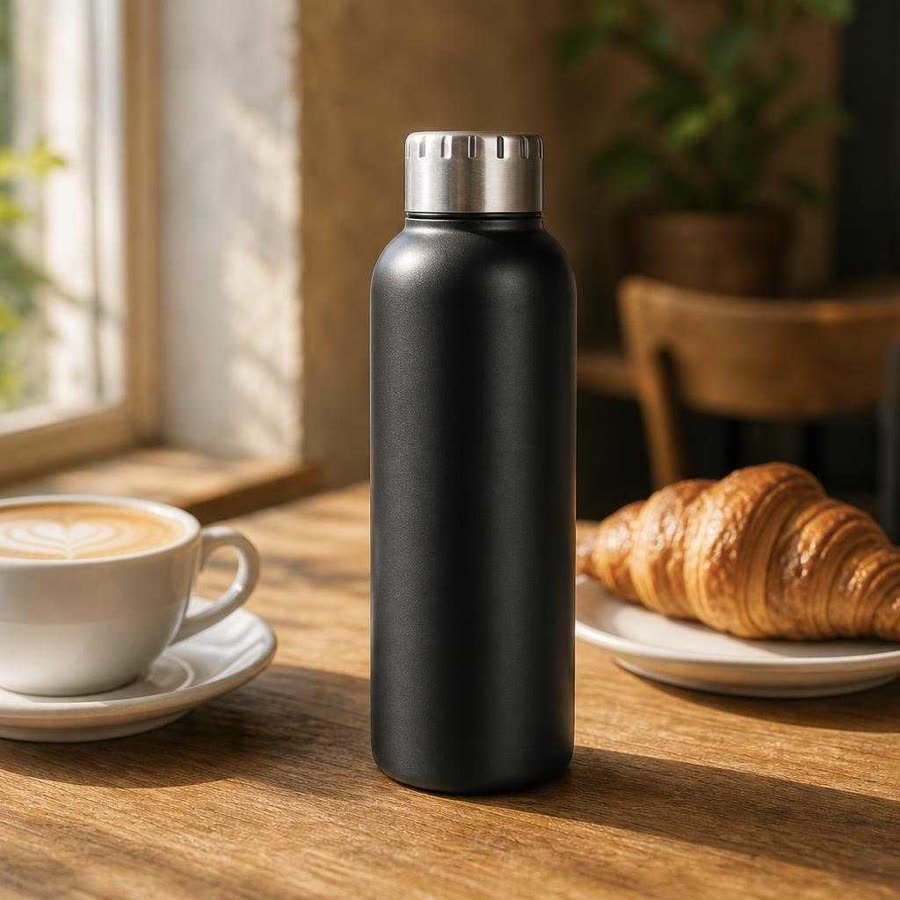
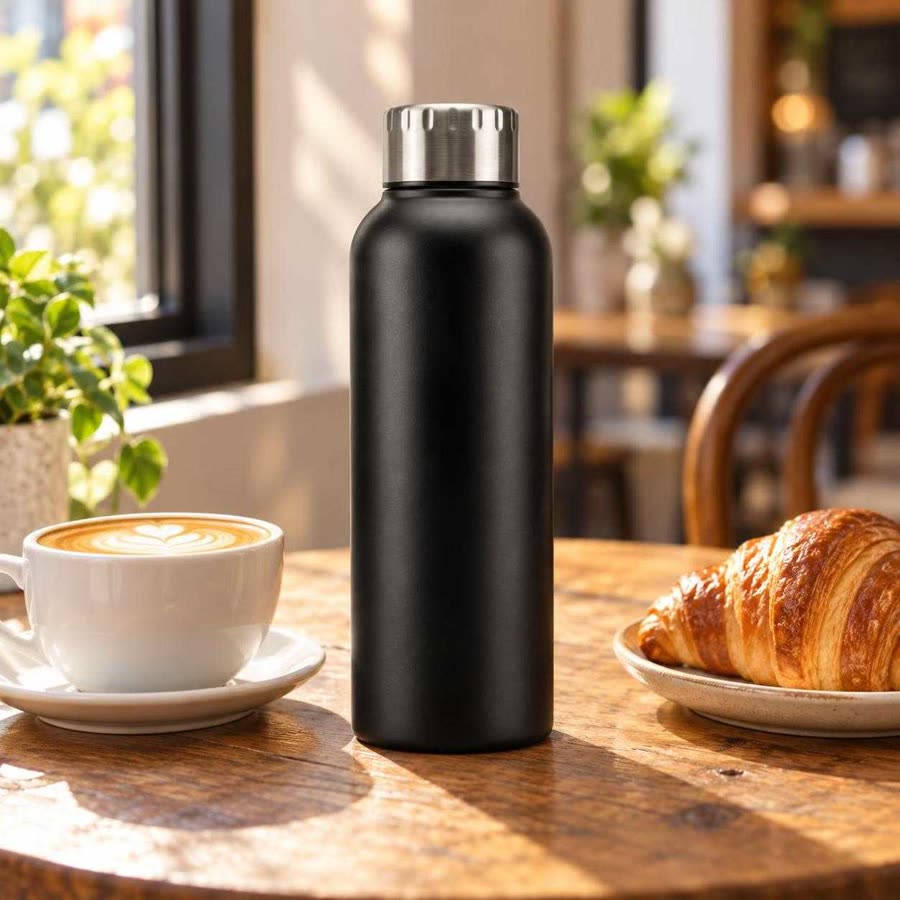
The second brief gave each model a studio photo of a matte black bottle and asked it to place the bottle on a café table without changing it. All four models kept the bottle's shape, matte finish and steel cap close enough to the reference that we would accept the frame.
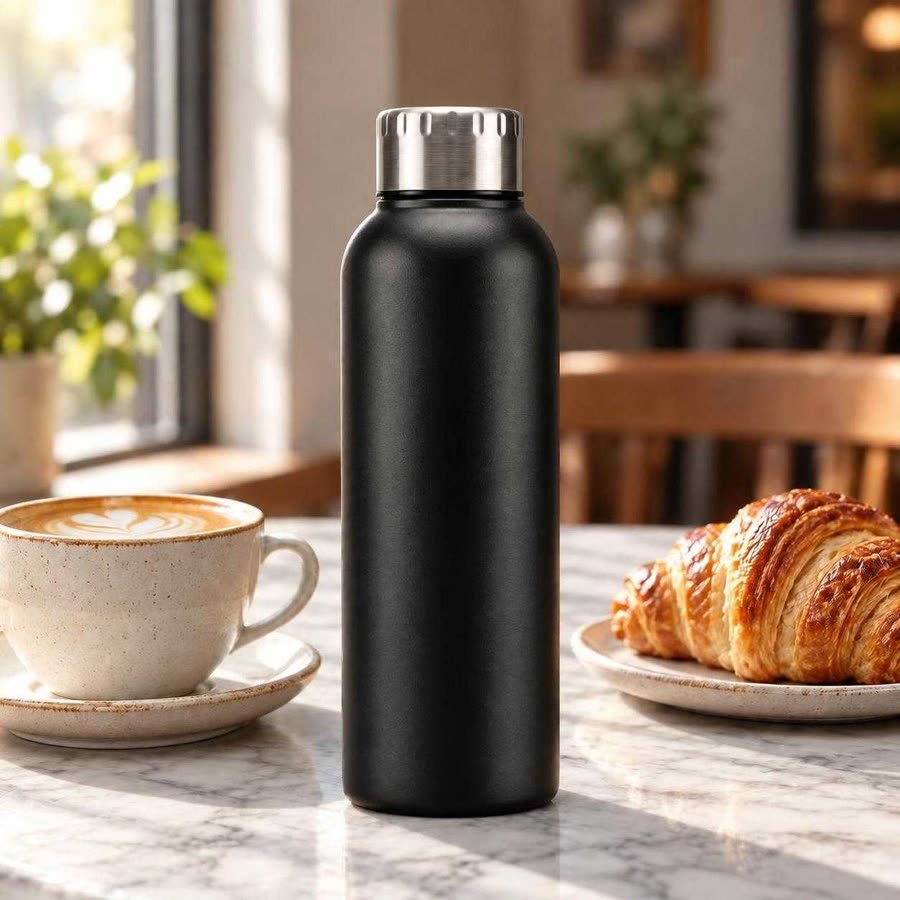
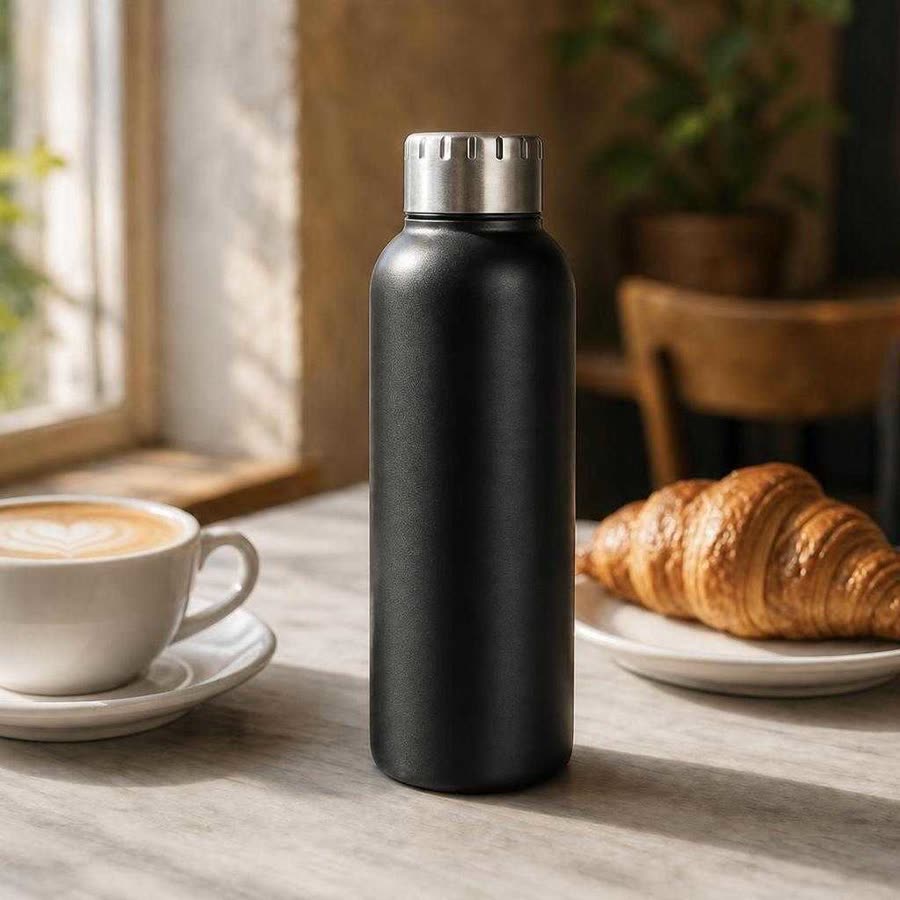
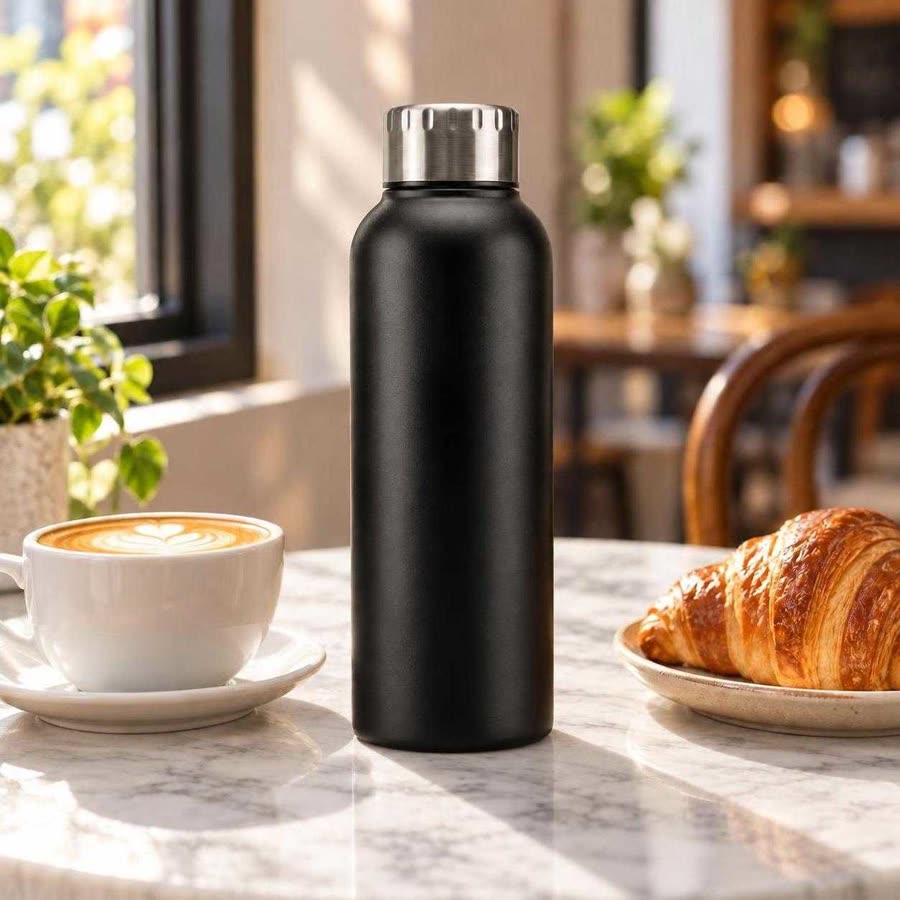
We then asked each model for one change: replace the wooden tabletop with white marble and leave everything else as it was. Flare, Sunburst and Nano 2 replaced the tabletop and kept the bottle, the cup, the croissant and the morning sunlight close to the original, with small shifts in surface texture and highlights that we would accept. GPT Image 2 replaced the tabletop but dropped the sunlight falling across it. The bands of warm light and the long shadows on the wooden table are missing from the marble, while the window and chairs behind it keep their warm tone. That mismatch makes the table look pasted in, and a reviewer would send the image back for another round.
What we will change, and what we will test next
The results support some decisions and not others, so here they are separately.
What this test showed. Flare matched GPT Image 2 on every job and returned images in under half the time. On the one edit we ran, Flare changed only the tabletop, while GPT Image 2 also lost the light. We are moving the jobs we currently run on GPT Image 2 to Flare.
What comes from earlier tests. Our July comparison found that GPT Image 2 followed busy briefs with many elements more closely than the other models did (One brief, five image models). Flare replaces GPT Image 2, so we expect it to do the same, and we will check that on a busy brief before we rely on it.
Where Nano 2 stays. Nano 2 matched both GPT Image 2.5 models on these briefs and was the fastest of the four, so it remains our default for large volumes of straightforward images.
What we have not tested yet. OpenAI says Sunburst is built for precise editing. One edit per model cannot show whether Sunburst keeps an image more consistent than Flare over many rounds of revision, so we will run a five-round revision test before we use Sunburst for that work.
How a new model reaches client work
When a lab releases a new image model, we test it on our own briefs, as we did here, and add it to ToolKit. Our production team works in ToolKit every day, and client teams can work in it too, with their brand rules already set up. To move a job from GPT Image 2 to Flare, someone on the team changes the model setting in that job's Creative Workflow. The brief, the reference images, the brand rules and the approvals stay as they were, because the client approved the workflow once (see Approve the workflow once). We can therefore try a new model on real briefs as soon as it is available, and switch a client's work to it only where it lowers the cost of a finished image.
Render prices will keep falling across every provider. What a brand saves depends on how many review rounds each image needs, and that depends on the workflow around the model as much as on the model itself.